Activate Your Hong Kong Trading Account
Learn how to quickly activate your Hong Kong Trading Account on the Webull app.
Step 1:
Open the Webull app and log in.
Tap “Menu” > “Setting” > “Manage Brokerage Account” to view the notification.
Step 2:
Select “Hong Kong Stocks Trading” and confirm your application.
Review and sign the required agreement.
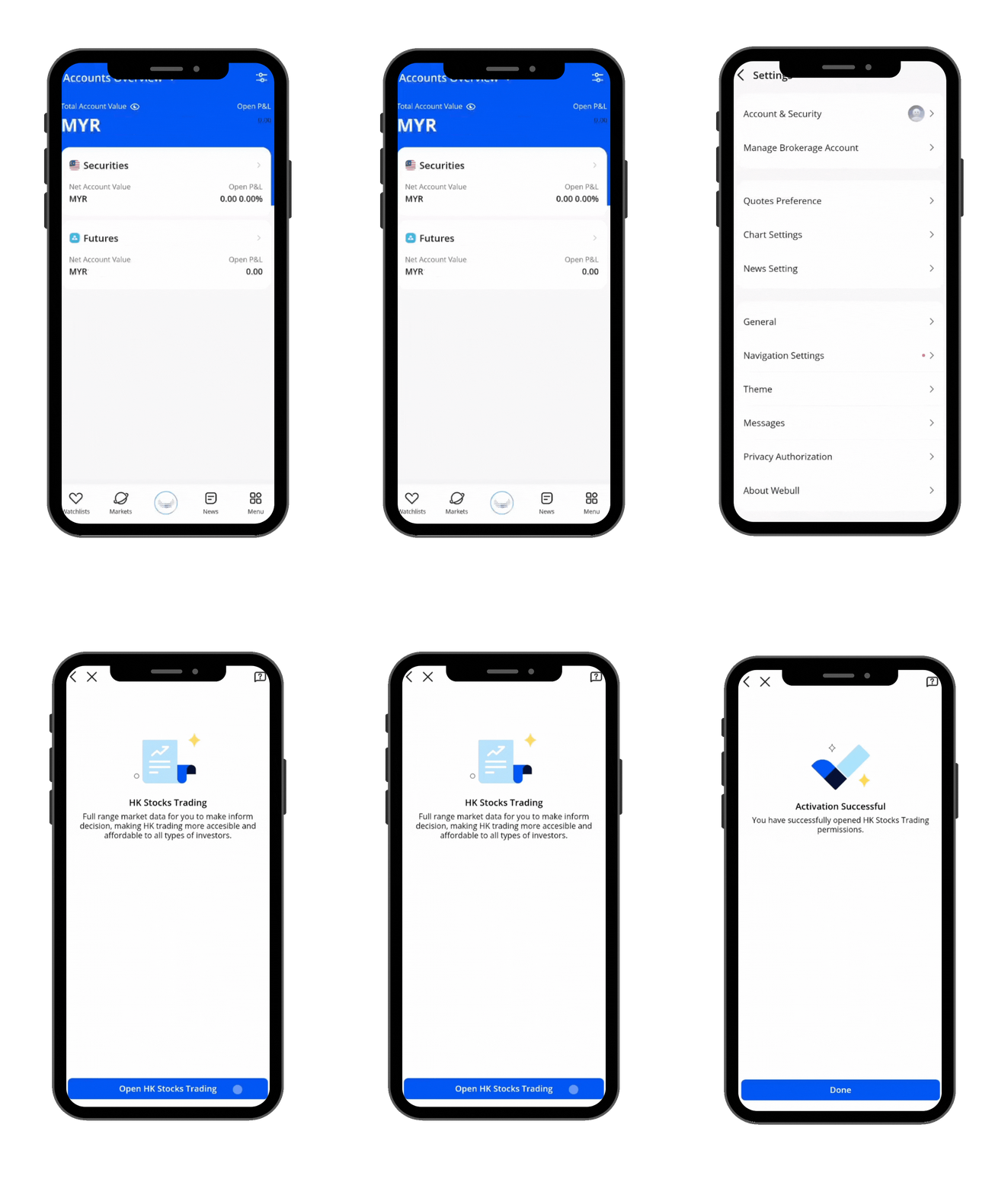
All Done!
Your Hong Kong Stock Trading Account is now active — you’re ready to start trading HK stocks!
0
0
0
All investments involve risks and are not suitable for every investor. The value of securities may fluctuate and as a result, clients may lose more than their original investment. No content should be construed as investment advice or recommendation, or an offer or solicitation, to deal in any investment product.
Lesson List
1
What is a Cash Flow Statement?
2
Trading Rules for China A-Shares
3
How Do Stock Exchanges Work?
4
What are Stocks?
5
Definition of an IPO
6
Why Would A Company Pay Dividends?
7
What is the Stock Market?
8
Introduction to China A-Shares and A-Share ETFs
9
Benefits of 24-Hour Trading
10
What Tools Can Help You Trade During Earnings Season?
11
Stock Indices
12
Activate Your China Trading Account
13
Order Types in the Hong Kong (HK) Stock Market
14
24-Hour Trading
Activate Your Hong Kong Trading Account
16
Fractional Shares in Corporate Actions
17
Trading hours of the Hong Kong stock market
18
Hong Kong Stock Markets Indices
No content on the Webull website shall be considered a recommendation or solicitation for the purchase or sale of securities, options or other investment products. All information and data on the website is for reference only and no historical data shall be considered as the basis for judging future trends.
Copyright © 2026 Webull. All Rights Reserved